
 EN
EN
 AR
AR
 FR
FR
 DE
DE
 IT
IT
 JA
JA
 KO
KO
 PT
PT
 RU
RU
 ES
ES
 VI
VI
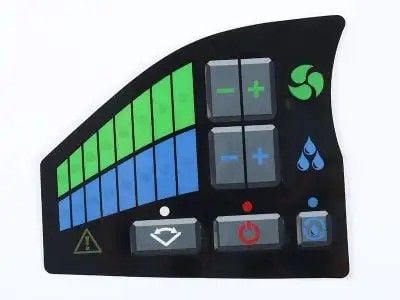
Metal dome arrays are special tools use in lots of devices, such as keyboards and remote controls, to help folks enter info. They operate by small metal domes that collapse when you press them. This let the device know a key was pushed. The arrangement of these domes their configuration can affect how good they perform when pressing many keys together. For a firm like Hongmao, who produce these arrays, finding the right setup is really crucial.
Usage Issues Come Up with Metal Dome Arrays in Multi-Key Uses?
When people use metal dome arrays, some troubles can make input tricky, specially if pressing several keys at once. One main problem is "ghosting." This occur when you hit one key but the device think you hit another too. It can frustrate because it cause errors. Another issue is "chattering," where a key register many presses instead of one. This might happen from dome design or if contact points aren't clean. Users also find keys too close, hard to hit the right one without touching others. For instance, typing quick can lead to hitting two keys, causing mistakes. In addition, the force to press domes vary. If some keys easier than others, it confuse the user.
How to Pick the Right Metal Dome Array for Best Input Accuracy?
Choosing the best Touch Membrane Panel is important to ensure inputs accurate and dependable. First, consider dome size. Bigger domes might easy to press, but they take more room. This lead to crowded keys that slow typing. On other side, smaller ones save space but need precise finger moves. Next, look at dome material. Some materials respond better than others. Like, flexible metal give nicer feel when pressed, reducing errors. Dome setup matters too. Arrange them for clear space can stop ghosting and problems.
What New Ideas in Metal Dome Arrays Help Multi-Key Input Accuracy?
Metal dome arrays are neat parts in keyboards and devices to let users press many keys together. Lately, Hongmao has done some cool updates to these arrays that improve typing and gaming. One key change is the dome shape. Not flat anymore, new ones have a small curve. This curve help it bounce back fast after press, so users type quicker without missing. Additionally, Hongmao use different materials for domes, like strong alloys that hold up longer. These can take lots of presses without wear, good for heavy users.
What Things Affect Efficiency of Multi-Key Input with Metal Domes?
Many factors influence how well Membrane Switch handle pressing several keys same time. One big one is spacing between domes. If too close, easy to hit wrong key by mistake. Hongmao ensure enough space so users target keys without worry. Another is dome size. Too small and they might not respond good. But too big take space and confuse. Hongmao design sizes for balance. Materials count a lot too. Tougher ones handle pressure better and last, so no breakdowns for users. Plus, dome shape impact snap-back speed.
How to Fix Common Problems with Metal Dome Array Setups?
Sometimes Metal Dome Array/Metal Dome have issues that stop them working right. If keyboard not respond well, users can try simple fixes. First, check if clean. Dust or crumbs stuck under keys make domes hard to connect. Hongmao suggest compressed air to blow out dirt and keep clean. If that don't work, look for loose wires. Connections to circuit might loosen. Then, open keyboard and secure them, but if uneasy, get help from expert.
Table of Contents
- Usage Issues Come Up with Metal Dome Arrays in Multi-Key Uses?
- How to Pick the Right Metal Dome Array for Best Input Accuracy?
- What New Ideas in Metal Dome Arrays Help Multi-Key Input Accuracy?
- What Things Affect Efficiency of Multi-Key Input with Metal Domes?
- How to Fix Common Problems with Metal Dome Array Setups?